
January 30, 2026 · Colaberry School
RCTF: Prompting for Accurate Data Code.
Unlock the potential of AI in data analysis with the RCTF framework for accurate, efficient coding and career advancement in the tech industry. === Summary of the Main Point: The blog highlights the importance of the RCTF framework (Role, Context, Task, Format) in prompting AI for accurate data analysis and coding, emphasizing the need for precise schema context to avoid AI hallucinations and ensure productivity breakthroughs in data roles.
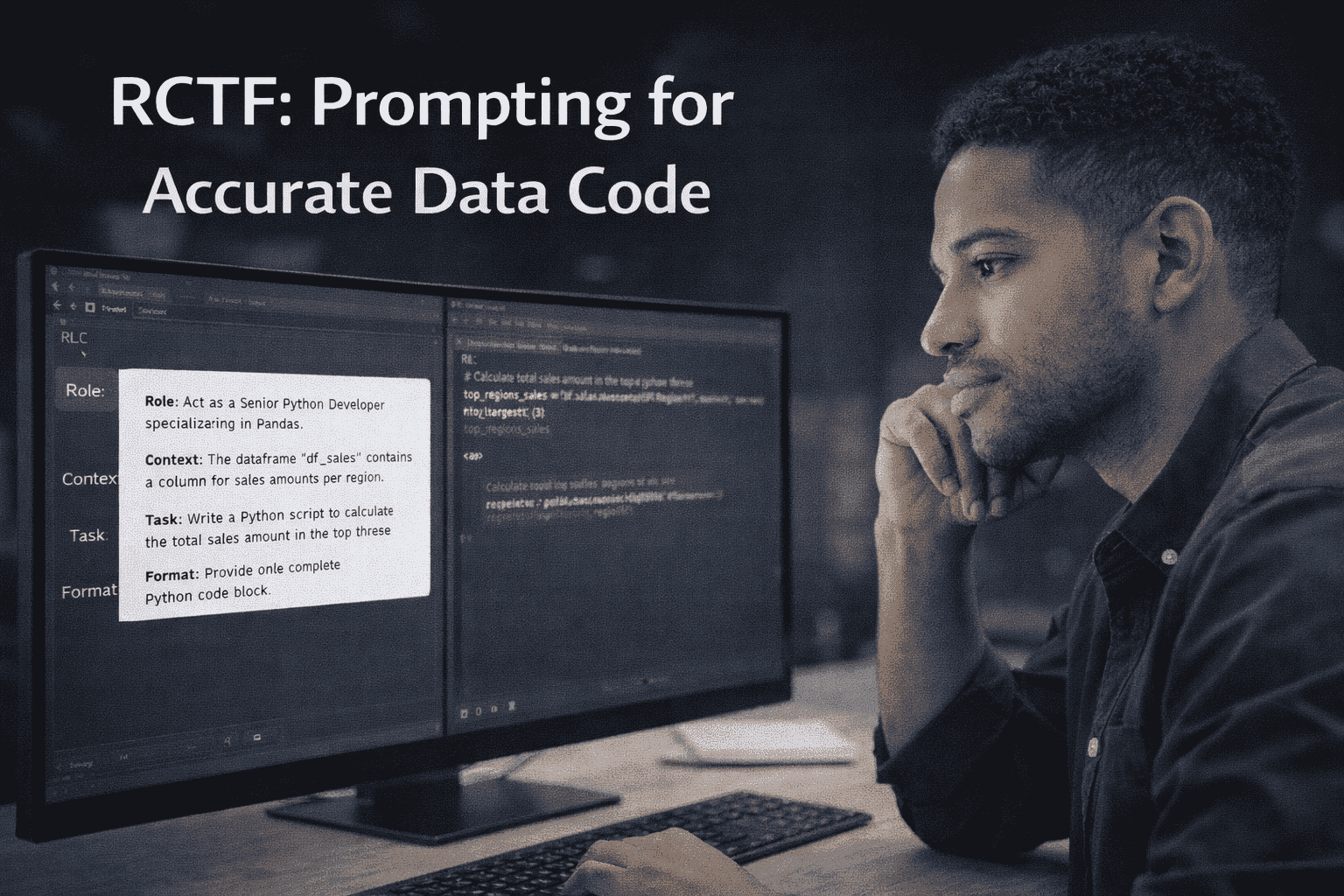
The landscape of data analysis is undergoing a seismic shift. We are no longer just coding alone; we are part of the "AI Co-Pilot" revolution.
Prefer watching over reading?
Watch our podcast below:
Prefer listening over reading?
listen to our podcast below:
Introduction: The Co-Pilot Mindset
The landscape of data analysis is undergoing a seismic shift. We are no longer just coding alone; we are part of the "AI Co-Pilot" revolution. For aspiring data analysts and Business Intelligence professionals, tools like ChatGPT, Claude, and GitHub Copilot promise to accelerate workflows, debug complex scripts, and generate insights in seconds.
However, there is a common pain point that plagues early adopters: Hallucination.
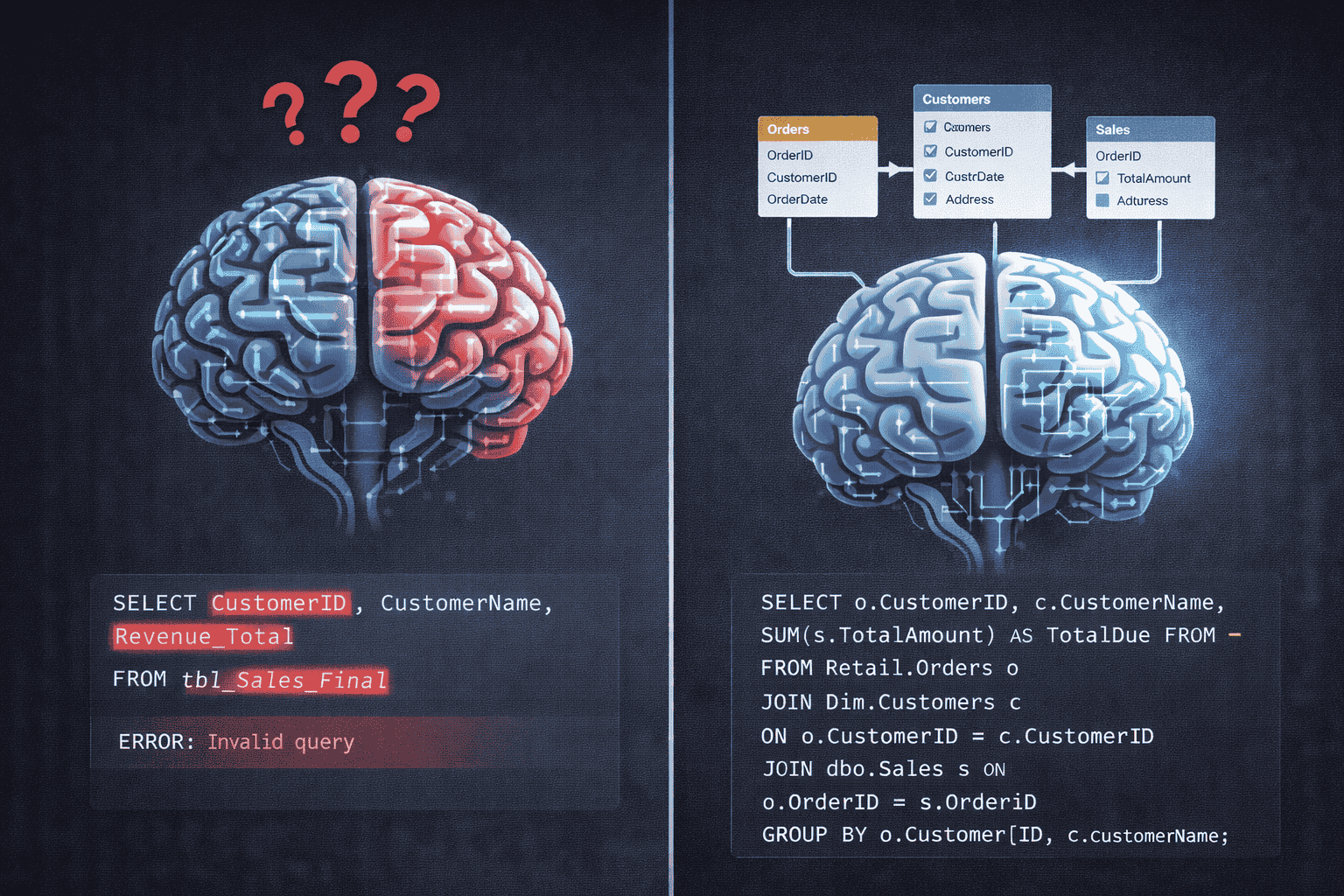
We have all been there. You ask your AI to "write a SQL query to find the top 10 customers by revenue." The AI enthusiastically spits out a perfectly formatted code block. But when you paste it into SQL Server Management Studio (SSMS), it fails immediately. Why? Because the AI invented a table named tbl_Sales_Final and a column named Revenue_Total that simply do not exist in your database.
This isn't a failure of the AI’s intelligence; it is a failure of Prompt Engineering. To move from frustration to functionality, we must adopt a structured framework that eliminates ambiguity. We must stop treating the AI like a search engine and start treating it like a technical colleague who needs explicit, well-defined instructions.
The Core Framework: RCTF (Role, Context, Task, Format)
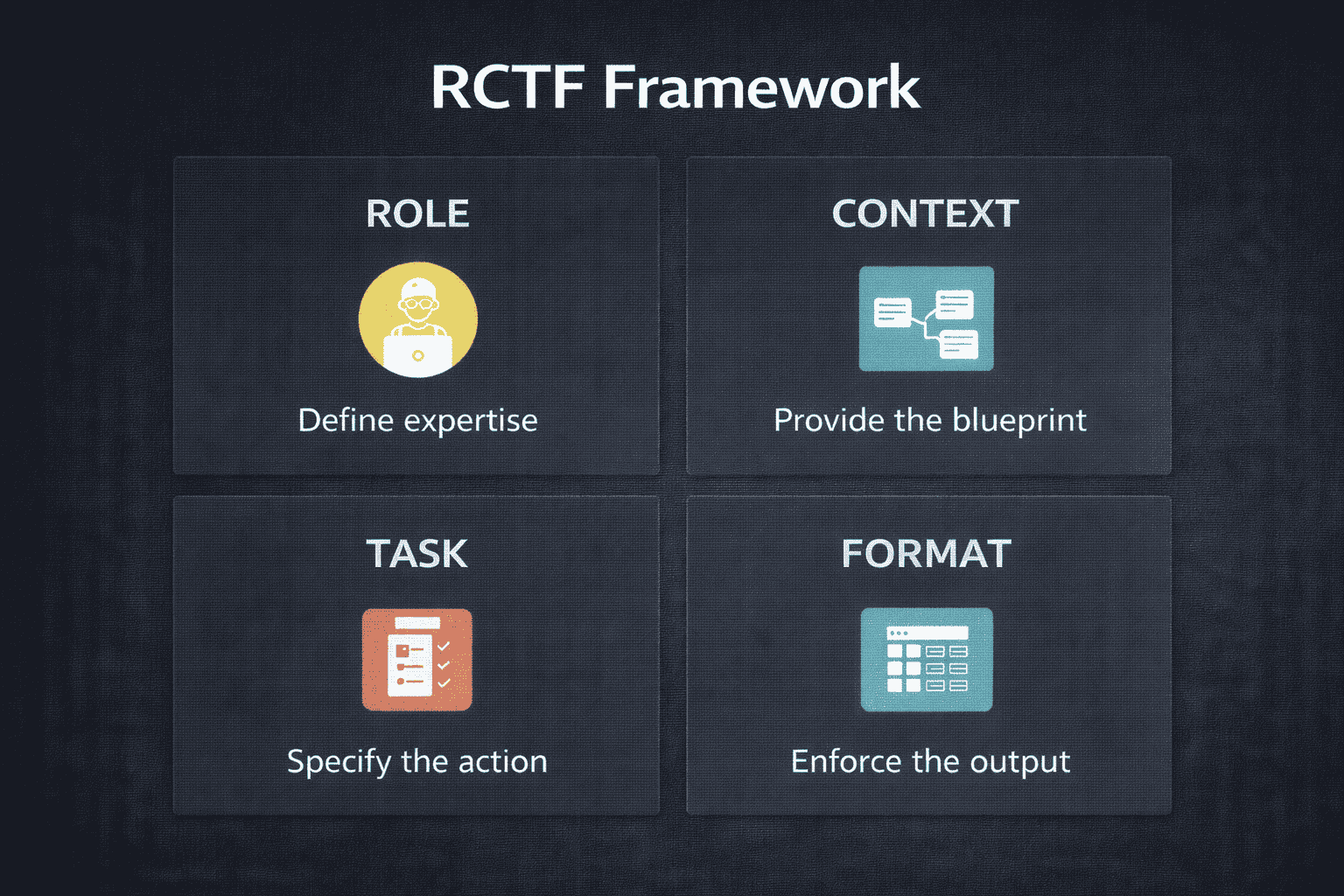
To harness the full power of Generative AI, you need a repeatable structure. At Colaberry, we advocate for the RCTF method. This framework ensures that every prompt contains the four essential components for a high-quality, executable response.
1. Role: Setting the Expertise Ceiling
The Role component defines the AI's persona and sets the level of expertise you demand. Instead of a generic answer, telling the AI, "Act as a Senior Python Developer specializing in Pandas" or "Act as an SSIS Architect," primes the model to adhere to specific coding conventions, use advanced functions, and avoid junior-level mistakes. It defines the technical vocabulary the AI will use.
2. Context: Providing the Blueprint (The Schema)
The Context is the most crucial element for data professionals. It establishes the working environment, constraints, and dependencies—and critically, this is where you insert your data schema. Without context, the AI is guessing. With context, it operates with authority. We will dive deeper into schema below, but context can also include things like:
- The programming language version (e.g., Python 3.10, MS SQL Server, MySQL, Power BI Desktop).
- The specific libraries available -mostly Python(e.g., Matplotlib vs. Plotly).
- Pre-existing variables (e.g., "Assume the dataframe is loaded into a variable named df_sales", "Table is already created in database with columns - ID, Name, Address").
3. Task: Specifying the Action
The Task specifies the exact, granular action you require. Be precise. Instead of saying, "Help with sales data," ask:
- "Write an optimized T-SQL query..."
- "Debug this R script for memory inefficiency..."
- "Outline the steps for a full load ETL package..."
4. Format: Enforcing the Output
The Format dictates how the output should be structured. This is essential for integrating the AI's response directly into your workflow. Examples include:
- "Provide only the SQL code block, nothing else."
- "Output the result as a markdown table."
- "Provide a step-by-step numbered list."
Student Success Story: The Human Element
At Colaberry, we emphasize teaching methodology, recognizing that technical skills combined with effective communication—even with AI—are key to career longevity. We have observed firsthand how mastering the RCTF framework and Schema injection successfully transitions students from struggling novices to confident analysts.
The success stories of our alumni demonstrate that this structured approach creates productivity breakthroughs, enabling individuals from diverse backgrounds to thrive in data roles.
The following testimonial is a powerful example of how dedication and a structured learning path can lead to a career transformation:
From Chef to Data Engineer: A Recipe for Success
Starting out as a chef with no computer background, this alum faced a steep learning curve in Colaberry’s boot camp. Despite moments of doubt and the challenge of learning new languages, perseverance paid off. Today, they’re a Data Engineer Specialist, working with high-profile clients like NASA and the Department of Defense. The journey from kitchen to code proves that with dedication and the right support, anyone can break into tech and find a rewarding, well-compensated career.
Colaberry alumni who master these exact workflows, including the structured use of AI co-pilots, secure their place in the future of work, transitioning into roles like Senior Data Analyst and Architect from non-technical backgrounds. The core difference between a frustrating AI experience and a productivity breakthrough often lies in the quality of the prompt, achieved through adopting the RCTF framework and rigorously providing Schema Context.
The Power of Schema: Context is Key to Code
The core principle for generating valid data code is simple: You must give the LLM the exact structure of your data.
Giving the LLM your schema is like handing a chef a list of ingredients and kitchen measurements before asking for a recipe. Without it, the AI is forced to invent table names, guess join keys, and assume data types.
What Schema Context Must Include:
To eliminate hallucinations and generate valid, runnable code, your prompt’s Context section must provide a definitive blueprint:
- Table Names: Explicitly state the names (e.g., [Retail].[Orders], [Dim].[Customers]).
- Key Column Names and Data Types: The AI needs to know if a column is a DateTime (requiring DATEDIFF logic) or a Varchar (requiring CONVERT logic). (e.g., OrderDate: DateTime, TotalDue: Decimal(19,4)).
- Relationships (PK/FK): This is critical for join logic. Specify how tables connect: "The Customers table joins to the Orders table on customer_id."
Impact on SQL, ETL, and Analysis Code
This structured context doesn't just fix simple SELECT statements; it forms the foundation for all data engineering and analysis tasks:
- ContextSQL Generation - Ensures correct table names, column aliases, and the proper use of foreign keys for joins.
- ETL/SSIS Planning - Allows the AI to design accurate data type transformation steps (e.g., casting Varchar to Date), avoiding data truncation errors in pipeline logic.
- Charting & Analysis - Guarantees the AI generates Python/R code using the exact column names needed for indexing Pandas DataFrames or plotting libraries (e.g., df['TotalAmount'] instead of hallucinating df['Revenue']).
BONUS: Your "Copy/Paste" Prompt Toolkit
Use these templates to apply RCTF and Schema context immediately in your work.
Template 1: Generating a New SQL Query
Role: Act as a Senior SQL Developer specializing in T-SQL.
Context: I am working with a retail database. Here is the relevant schema:
Context: I am working with a retail database. Here is the relevant schema:
- Table: [Sales].[Orders] (Columns: OrderID, CustomerID, OrderDate, TotalAmount)
- Relationship: Orders.CustomerID joins to Customers.CustomerID. Task: Write a query to calculate the total sales revenue per Region for the year 2023. Filter out regions with less than $10,000 in revenue.
Format: Provide only the SQL code block.
Template 2: Generating Charting Code
Role: Act as a Senior Python Data Scientist focused on visualization. Context: I have loaded a Pandas DataFrame called df_sales.
- DataFrame Schema: Columns include OrderDate (datetime), TotalAmount (float), Region (string).
Task:Write a Python script using the Plotly library to generate a line chart showing the monthly trend of TotalAmount over the last 12 months, grouped by Region.
Format: Output the complete Python code block, including necessary imports.
Template 3: Descriptive Analysis & Data Cleaning (NEW)
Role: Act as a Junior Data Analyst specializing in Pandas and data preparation. Context: I have loaded a Pandas DataFrame called df_products.
- DataFrame Schema: Columns include ProductID (string), Category (string), Price (float, has nulls), and StockLevel (int).
Task: 1. Generate descriptive statistics for the Price and StockLevel columns. 2. Write a function to identify and impute missing Price values by filling them with the median price calculated specifically within their respective Category.
Format: Output the complete Python code block only.
Template 4: The "Error Fixer"
Role: Act as an expert Data Analyst and Code Debugger. Context: I am trying to run a query on my database, but I am getting an error.
- My Schema: Table Employees has columns EmpID (Int) and HireDate (Varchar).
- The Error: "Conversion failed when converting date and/or time from character string."
Task: Fix the following SQL query. You will likely need to cast or convert the HireDate column because it is currently stored as a string, not a date object. [PASTE YOUR BROKEN CODE HERE]
Format: Output the corrected SQL code and explain exactly why the original code failed.
Template 5: The "ETL Logic" Planner
Role: Act as an ETL Architect. Context: We need to migrate data from a transactional system to a Data Warehouse.
- Source Schema: Orders table (High volume, normalized).
- Destination Schema: FactOrders (Star schema, requires integer keys).
Task: Outline the logical steps required to move this data. Specifically, explain how to handle data type mismatches if the Source ID is a GUID and the Destination ID requires an Integer.
Format: Provide a step-by-step bulleted list suitable for building an SSIS control flow.
Conclusion
The difference between a frustrating AI experience and a productivity breakthrough often lies in the quality of your prompt. By adopting the RCTF framework and rigorously providing Schema Context, you eliminate guesswork and hallucination.
Don't let your AI guess your data structure. Hand it the map.
Ready to upgrade your career? Mastering AI prompting is just one part of the data analytics journey. Join Colaberry today to learn the full stack of skills required to become a high-impact Data Analyst.